 EN
 English
 简体中文
 Italian
 Spanish
 Turkish
 Japanese
 Portuguese
 Russian
 French
 German
 Polish
 Persian
 Arabic
News
Latest news, updates & insights from Fushi.
Latest news, updates & insights from Fushi.
Nov 11, 2026Source:Intelligent Browse: 0
Reliable field documentation requires more than simply taking a photograph. Images need to capture identifiable details, remain associated with the correct location and task, and be stored in a format that can be reviewed or transferred through an organization's digital workflow. A rugged tablet with a high-resolution camera can help field teams combine image capture, data entry, and mobile communication in one device.
In law enforcement, industrial inspection, equipment maintenance, and environmental monitoring, photographs often serve as supporting records for decisions and follow-up actions. A field worker may need to photograph a damaged component, record a machine's identification plate, document an inspection result, or capture the condition of a work area.
Poor image quality can make these records less useful. Blurred text, insufficient lighting, incorrect focus, and incomplete framing may prevent reviewers from identifying important details. When photographs are used alongside inspection reports or incident records, these limitations can create additional verification work.
A mobile device used for field documentation should therefore provide a camera system suitable for different shooting distances and lighting conditions. It should also allow employees to access relevant applications, enter descriptions, and associate images with the correct work records.
This is one reason organizations consider rugged tablets rather than relying exclusively on consumer smartphones. A dedicated industrial tablet can combine imaging, communication, positioning, and task management functions in a single platform.
When evaluating products from a rugged tablet factory, buyers should look beyond the advertised camera megapixel count. Autofocus performance, supplementary lighting, storage capacity, operating system compatibility, and environmental suitability all influence whether a device can support an actual field documentation process.
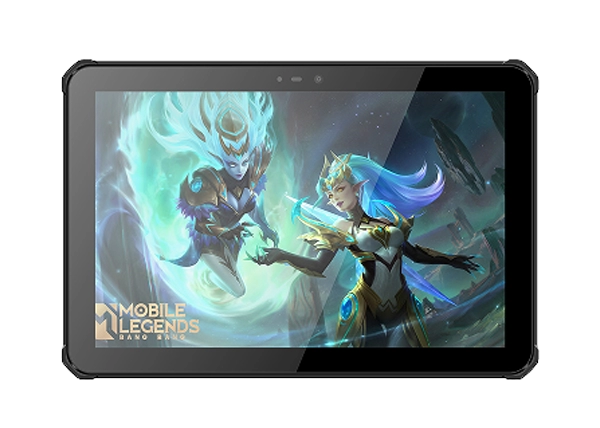
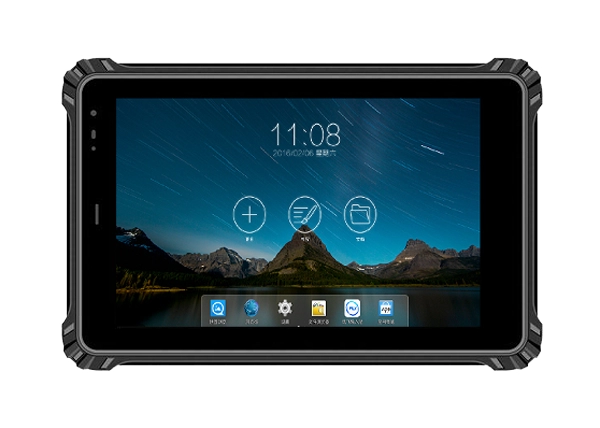
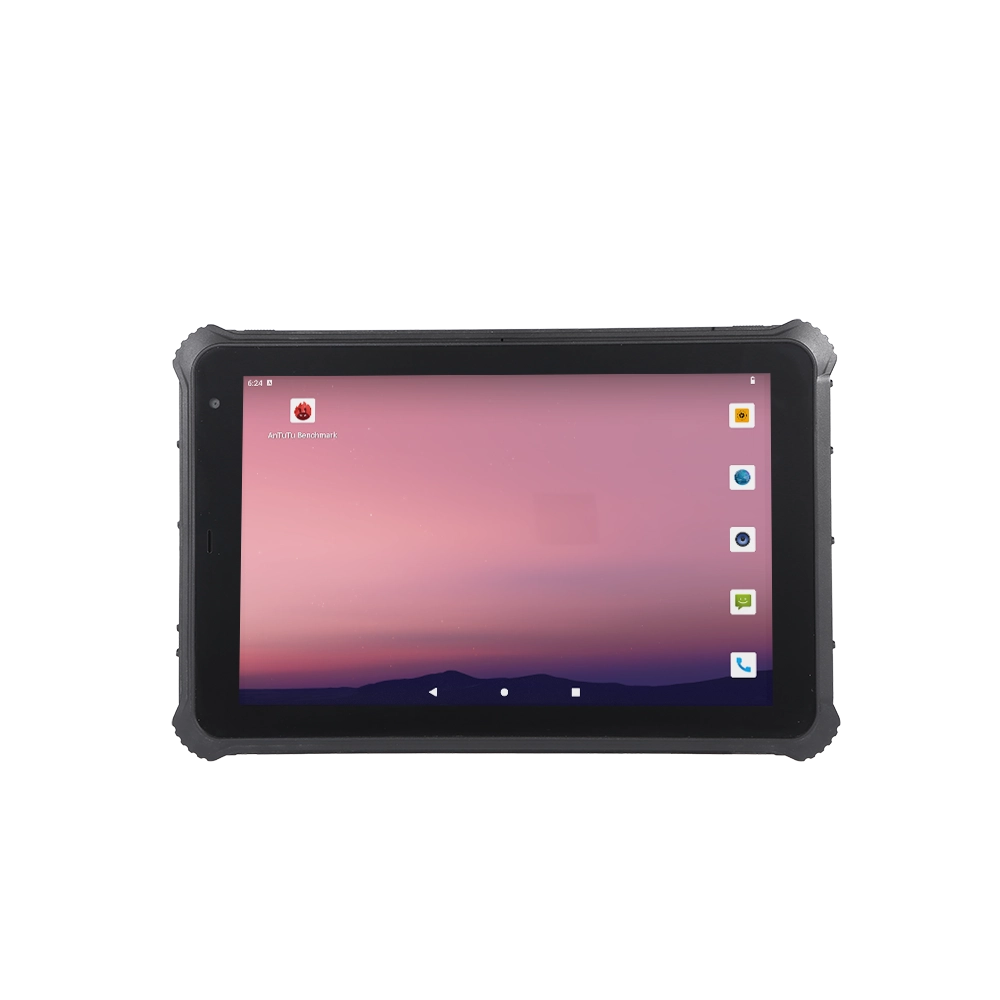
The T1 10.1-inch Android 14 Slim-Bezel Rugged Tablet features a front 5MP camera and a rear 48MP autofocus camera with LED lighting.
The rear camera is particularly relevant to field documentation tasks that require capturing small visual details. For example, maintenance personnel may need to photograph equipment labels, component conditions, cable connections, instrument displays, or visible signs of corrosion. A higher-resolution image provides more recorded pixel information, which can be useful when reviewing details or cropping an image for closer examination.
Autofocus also helps when the distance between the tablet and the subject changes. A worker photographing a machine identification plate may need to move closer to capture its serial number, while a wider photograph may be necessary to show the surrounding installation. Automatic focusing helps the camera adjust to these changes without requiring the user to manage focus manually.
The built-in LED light can provide additional illumination when photographing equipment in dimly lit rooms, maintenance areas, or locations with limited natural light. It is useful for close-range documentation, although it should not be treated as a replacement for dedicated lighting in every environment.
For organizations managing large numbers of inspection records, these camera features can help make the tablet a practical image-capture terminal rather than simply a device for viewing documents.
It is also important to distinguish camera resolution from evidentiary reliability. A 48MP camera does not automatically guarantee that an image is authentic, tamper-proof, or legally admissible. Those requirements depend on the organization's evidence-handling procedures, software controls, metadata management, and applicable regulations.
An image becomes more useful when it can be connected to the place and activity where it was captured.
For example, an outdoor inspection team may photograph a damaged pipeline section, record its condition, and associate the image with a specific inspection task. A maintenance technician may capture a machine component before and after repair. In a law enforcement workflow, personnel may need to organize photographs according to an incident number, location, and collection time.
The T1 supports three of the four listed satellite positioning systems: GPS, BeiDou, Galileo, and GLONASS, depending on the selected combination. This provides a positioning option for applications that need to associate field activities with geographic information.
However, satellite positioning and image evidence management are separate functions. The positioning module provides location information, while the application software determines whether and how that information is recorded alongside photographs. Businesses should confirm that their intended Android application can collect the required location data and associate it with image records.
A practical field documentation workflow may include the following steps:
1. Open the assigned inspection or incident record.
2. Confirm the relevant equipment, site, or task information.
3. Capture photographs of the subject from appropriate angles.
4. Add notes describing visible conditions and observations.
5. Associate the images with the corresponding record.
6. Save the information locally or upload it through an available network connection.
This process helps reduce the need to transfer photographs manually between separate devices and systems.
Field documentation requirements vary between industries, but many teams share similar needs: capturing clear images, recording observations, and accessing information while working away from a fixed office.
In law enforcement, mobile terminals can support the documentation of scenes, equipment, identification details, and field activities. The actual handling of evidence must still follow agency procedures, including access control, image preservation, audit trails, and secure data transfer.
In industrial inspection, photographs can be used to document equipment wear, damaged parts, installation conditions, and maintenance progress. An inspection application can associate each image with an asset number or work order, helping supervisors review the condition of equipment without relying solely on handwritten notes.
Oil and gas operations may also involve visual documentation of pipelines, instruments, control equipment, and facility conditions. In these environments, device selection should consider the specific site safety requirements. A standard rugged tablet should not be assumed suitable for hazardous explosive atmospheres unless its exact model and configuration have the required applicable certification.
For medical applications, a mobile tablet may help authorized staff capture and manage relevant visual records within approved workflows. Patient information and medical images require appropriate privacy controls, application permissions, and data protection measures.
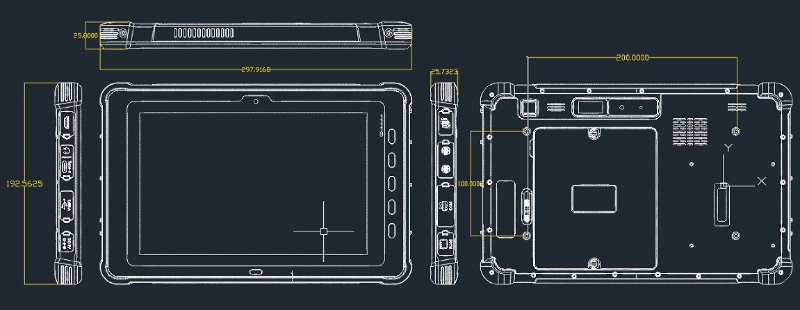
The T1 rugged tablet is designed around a 10.1-inch display and a relatively slim body measuring 252 × 169 × 14.5 mm, with a listed weight of approximately 760 g. This form factor gives field personnel a larger working screen than a typical smartphone while remaining portable enough for mobile tasks.
Capturing a photograph is only one part of field documentation. Workers also need to review images, enter information, and transfer records when network access is available.
The T1 offers two display resolution options: 800 × 1280 and 1200 × 1920. Brightness configurations of 500, 800, or 1000 nits are available. The selected display configuration should match the working environment, particularly when users need to review photographs outdoors or under strong ambient lighting.
For storage, the tablet offers 4GB RAM with 64GB storage or 6GB RAM with 256GB storage. It also supports TF card expansion up to 1TB. These options can be considered according to the volume of photographs, application requirements, and local data retention needs.
High-resolution images can occupy substantial storage space, especially when field teams capture multiple photographs for each inspection. Organizations should establish a file management policy covering image naming, task association, local retention, backup, and synchronization. The storage configuration should be selected according to the expected number of records and the size of each image.
For connectivity, the device supports WiFi 2.4GHz and 5.8GHz, Bluetooth 5.3, and cellular communication options including 4G. These connections can support different stages of a mobile workflow. WiFi may be used in offices and facilities, while cellular connectivity can help personnel submit records from remote locations with network coverage.
The tablet also provides USB Type-A, USB Type-C, a 12-pin Pogo Pin connector, SIM card support, and TF card support. These interfaces offer options for connecting compatible accessories and managing data, depending on the selected application and peripheral configuration.
Not every field documentation project requires the same hardware configuration. Before purchasing tablets in volume, organizations should evaluate the camera, display, storage, communication, and software requirements together.
The following points can help guide the selection process:
l Camera requirements: Confirm whether the rear camera resolution, autofocus function, and LED lighting meet the needs of the intended documentation tasks.
l Display configuration: Select the appropriate resolution and brightness according to whether employees work mainly indoors, outdoors, or across mixed environments.
l Storage capacity: Estimate the expected number and size of photographs, together with the storage requirements of the business application.
l Network access: Determine whether WiFi is sufficient or whether cellular connectivity is required for field synchronization.
l Positioning support: Confirm which satellite positioning combination is available and whether the application can associate location data with image records.
l Software compatibility: Check Android 14 application compatibility, camera access permissions, data export methods, and customization requirements.
l Environmental protection: Verify the actual protection rating, operating temperature, drop-test conditions, and any industry-specific certification required for the deployment site.
These details are particularly important when sourcing from a rugged tablet factory that offers hardware customization. A camera specification alone cannot determine whether a tablet will fit an organization's workflow. The complete configuration must work with the software, accessories, data management process, and operating environment.
Established in 2021 in Shenzhen, China, Fushizk Technology Co.,Ltd integrates research and development, production, and sales, with a focus on rugged computing tablets and customized device solutions.
Its product portfolio includes 8-inch and 10-inch Android rugged tablets, Windows rugged tablets, explosion-proof tablets, vehicle-mounted rugged tablets, medical rugged tablets, and reinforced tablets for specialized applications. These products serve industries such as factory automation, mechanical automation, measurement equipment, environmental monitoring, medical devices, power systems, transportation, energy, and outdoor inspection.
Fushizk identifies embedded system development, AI algorithm optimization, and wireless communication technology as its three major technical areas. According to the company's information, it has applied for more than 50 patents, while annual R&D investment exceeds 15% of its stated benchmark. R&D personnel account for approximately 30% of its workforce.
For customers looking for a rugged tablet factory, these capabilities provide a basis for discussing customized hardware configurations, software adaptation, and communication requirements. The company also reports a network of more than 70 distribution partners, over 1,000 service outlets, and more than 500 cooperative suppliers.
The T1 10.1-inch Android 14 Slim-Bezel Rugged Tablet combines a 48MP autofocus rear camera, optional display configurations, expandable storage, multiple positioning systems, and Android 14 support. These features make it a candidate for projects that require mobile image capture and digital field documentation.
Before deployment, customers should confirm the selected hardware configuration, camera application compatibility, image storage policy, and required environmental certifications. For projects involving law enforcement or regulated evidence collection, the software and operating procedures should also meet the relevant organizational requirements.
Fushizk Technology Co.,Ltd can work with customers to discuss application scenarios and suitable rugged tablet configurations. By defining imaging requirements, software functions, network conditions, and environmental constraints before procurement, businesses can select a device that fits their actual field documentation workflow.