 EN
EN
 English
  简体中文
简体中文  Italian
  Spanish
  Turkish
  Japanese
  Portuguese
  Russian
  French
  German
  Polish
  Persian
  Arabic
 News
Latest news, updates & insights from Fushi.
Latest news, updates & insights from Fushi.
Oct 14, 2026Source:Intelligent Browse: 3
Oil and gas field inspections demand reliable mobile computing equipment that can handle dust, moisture, temperature changes, and long hours outdoors. An IP67-rated rugged tablet helps field teams access inspection records, capture site information, and communicate with control teams while working in challenging environments.
Oil and gas facilities present a different set of challenges from ordinary office or indoor industrial environments. Inspection personnel may need to move between outdoor pipelines, processing equipment, storage areas, maintenance zones, and vehicle-based workstations throughout a shift. They must record equipment conditions, review technical documents, capture photographs, and report potential problems without relying on a fixed workstation.
A rugged tablet can support these tasks, but selecting the right device requires more than checking its protection rating. Screen visibility, operating temperature, battery endurance, connectivity, positioning, and interface compatibility all affect how well a tablet performs in daily field operations.
Field inspection equipment is regularly exposed to dust, splashing water, rain, and accidental contact with wet or dirty surfaces. Standard consumer tablets may not be designed for these conditions, making environmental protection an important consideration during equipment selection.
An IP67 rating indicates protection against dust ingress and temporary immersion in water under specified laboratory test conditions. For inspection teams, this level of protection can help reduce concerns about exposure to common environmental contaminants during routine fieldwork.
However, IP67 should not be interpreted as unlimited waterproofing or proof of resistance to every industrial chemical. Oil, fuels, solvents, cleaning agents, and other substances can affect device materials differently. Teams should verify the manufacturer's compatibility guidance before using a tablet around specific chemicals or petroleum products.
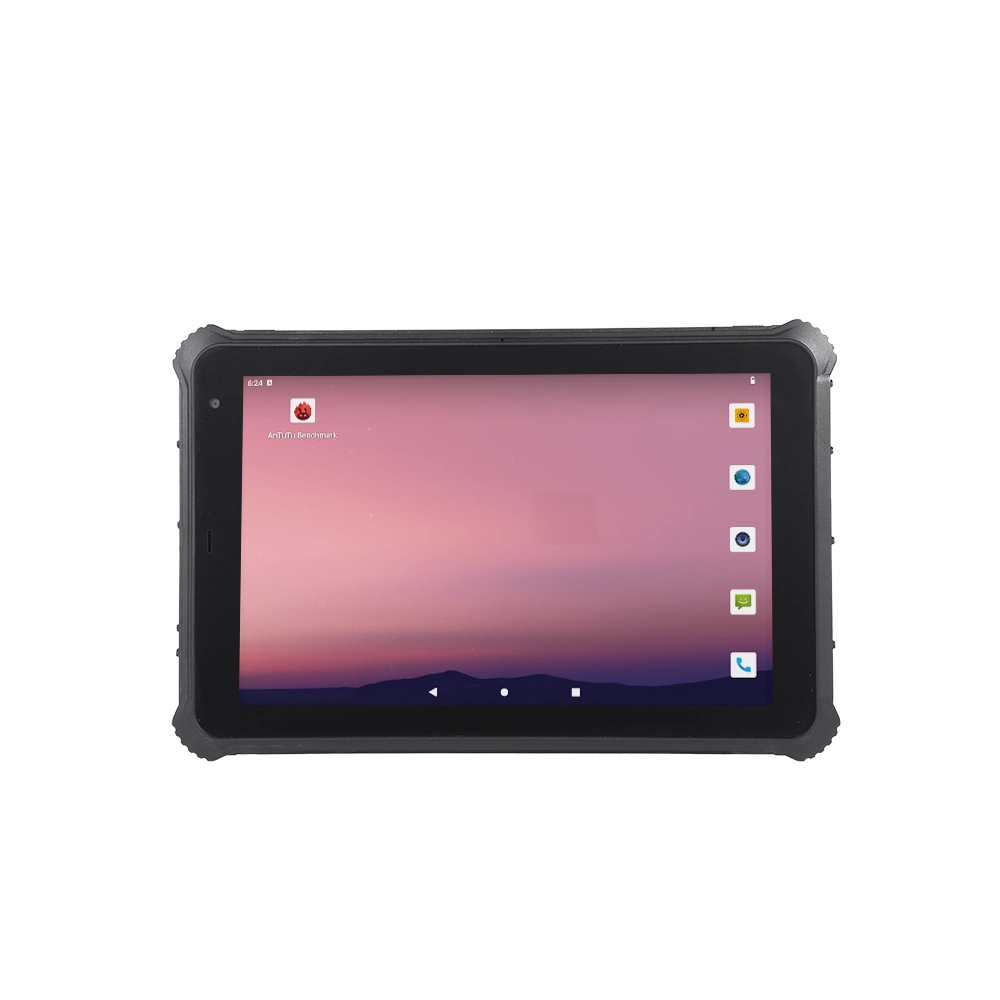
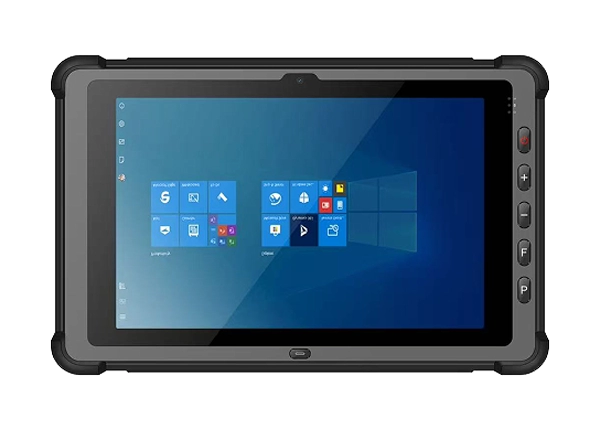
The RT-10C rugged tablet from Fushizk Technology Co., Ltd. features IP67 protection and a reinforced housing designed for demanding work environments. Its dual-color molding option also allows businesses to select a device appearance suited to their equipment management or identification requirements.
For oil and gas operators, the practical benefit is straightforward: choosing equipment with appropriate environmental protection can help support more consistent inspection workflows and reduce avoidable interruptions caused by unsuitable devices.
Oil and gas inspection routes can involve changing temperatures, direct sunlight, outdoor exposure, and transitions between indoor and outdoor work areas. A tablet that performs well in a controlled office may not be suitable for these conditions.
The RT-10C specifies an operating temperature range of -25°C to 60°C, making it a potential option for field operations that require equipment to function across a broad range of ambient temperatures. Its specified storage temperature range is -30°C to 70°C. Operating and storage limits are different: a device stored in extreme conditions may need to return to its permitted operating range before use.
Drop resistance is another practical consideration. The RT-10C is specified as resistant to a 1.2-meter drop onto a composite wooden floor under the stated test conditions. This specification is relevant when inspection personnel carry tablets between equipment locations or use them while standing and moving around a facility.
A drop-resistance rating does not mean that damage is impossible. Protective cases, secure hand straps, suitable mounting accessories, and safe handling procedures can provide additional protection where appropriate.
Before deployment, procurement teams should confirm that the manufacturer's environmental and impact test conditions match the intended operating environment. This is especially important when equipment will be exposed to vibration, repeated impacts, or conditions beyond the published specifications.
Inspection personnel often need to read equipment identification numbers, review maintenance instructions, check measurement records, or complete digital forms while working outdoors. Poor screen visibility can slow these tasks and increase the likelihood of data-entry mistakes.
The RT-10C uses a 10.1-inch LCD screen with a standard brightness of 500 nits. Optional 800-nit and 1000-nit configurations are available according to the supplied specifications. Its standard display resolution is 800 × 1280, with a 1200 × 1920 option.
The appropriate configuration depends on how the tablet will be used. A team that mainly works inside equipment rooms or shaded areas may have different display requirements from a team that frequently reads technical information in direct sunlight.
When evaluating a display, consider more than brightness alone. Screen reflections, viewing angles, interface design, glove compatibility, and the size of displayed text can all influence readability. The RT-10C also supports a 10-point touch panel with a stated surface hardness of 7H, which may be useful for interactive inspection applications.
For field deployment, teams should test the intended software and screen configuration in representative lighting conditions before ordering devices in quantity.
Reliable communication is important when inspection data needs to move between field personnel, maintenance departments, and central operations teams. Connectivity requirements vary depending on the facility, the availability of wireless networks, and the software used to manage inspection activities.
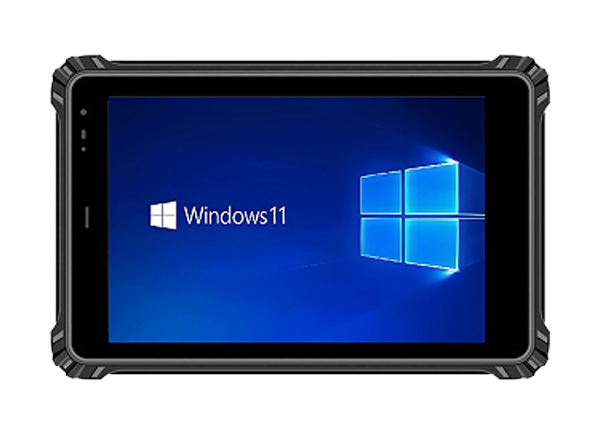
The RT-10C Windows rugged tablet supports Wi-Fi standards up to 802.11ax, Bluetooth 5.3, and optional 4G or 5G connectivity. Its SIM slot supports mobile communication configurations where cellular service is available.
These options allow organizations to evaluate different deployment arrangements. Wi-Fi may be suitable in facilities with established wireless coverage, while cellular connectivity can support communication across more widely distributed inspection routes. Bluetooth may be useful for connecting compatible peripherals, depending on their supported profiles and software requirements.
The tablet also includes several physical interfaces that may matter in industrial applications:
l USB Type-A 3.0 and USB Type-C 3.0 for compatible peripherals and data transfer.
l A DB9 RS232 interface for equipment that uses serial communication.
l A gigabit Ethernet port for compatible wired network connections.
l A Micro HDMI interface for supported external displays.
l A 12-pin Pogo Pin interface for compatible accessories and docking solutions.
These interfaces can be valuable when inspection work involves existing industrial instruments or workstation equipment. Nevertheless, the presence of a physical port does not guarantee compatibility with every device. Engineering teams should confirm the required communication protocol, connector configuration, drivers, and application software before deployment.
In facilities with restricted wireless access, a combination of wired interfaces and offline-capable inspection software may also help maintain continuity when network access is unavailable.
Oil and gas assets can be spread across large sites, remote locations, or extensive pipeline networks. In these environments, identifying where an inspection occurred can be as important as recording what the inspector observed.
The RT-10C supports a GPS module and the specified BeiDou positioning option. These capabilities can be considered for applications involving inspection route records, location-tagged reports, field service coordination, and asset documentation.
Positioning performance depends on satellite visibility, antenna design, surrounding structures, and environmental conditions. Steel structures, enclosed areas, and complex industrial facilities may affect reception. Organizations should therefore test positioning performance along their actual inspection routes rather than assume uniform accuracy across a site.
When combined with suitable inspection software, location information can help teams associate records with specific assets or inspection points. The software must support the required location data and reporting workflow; a positioning module alone does not automatically create a complete asset management system.
For operators managing multiple inspection teams, these capabilities can contribute to more organized field records and help supervisors review where work was completed.
Field personnel may spend several hours away from charging stations while checking equipment, recording findings, and communicating with maintenance teams. Battery endurance is therefore an important part of tablet selection.
The RT-10C has a built-in 7.6 V, 10,000 mAh polymer lithium-ion battery. Its stated battery life is approximately 10 hours when playing local high-resolution 1080p video at 50% volume under the specified test conditions.
This figure provides a reference point, but actual operating time will vary. Continuous cellular communication, high screen brightness, GPS use, connected peripherals, and demanding applications can increase power consumption. Cold weather and battery aging may also affect performance.
Before rolling out tablets across an inspection team, organizations should estimate the expected daily workload and test battery endurance with the software and communication settings they plan to use. Charging arrangements in service vehicles, scheduled charging periods, and power management settings can further improve operational planning.
The supplied specifications identify a built-in battery, so buyers should confirm the available battery service and replacement arrangements if they require extended field deployment.
Operating system compatibility can be a deciding factor for industrial users. Inspection applications may rely on Windows-based programs, specialized drivers, serial communication tools, or established enterprise management systems.
The RT-10C is specified with Windows 10 and Windows 11 operating system options. Its listed hardware configurations include 12th-generation Intel Core i5-1235U or i7-1255U processors, 16 GB of memory, and SSD storage options ranging from 128 GB to 2 TB.
These configuration details should be confirmed against the exact model being ordered. The product information also references an Intel Celeron N5100 processor in its feature description, so buyers should request a definitive configuration sheet to establish which processor applies to the particular RT-10C version.
Before purchase, verify compatibility with the inspection software, peripheral drivers, security requirements, and device management policies used by the organization. For legacy applications, a pilot deployment can identify potential compatibility issues before devices are introduced across an entire site.
Windows version support and security update availability should also be checked against the deployment schedule. This is particularly relevant for industrial equipment expected to remain in service for several years.
A suitable rugged tablet is only one part of a successful field computing solution. Organizations may also need customized communication modules, fingerprint identification, RFID functionality, barcode scanning, mounting accessories, or software integration.
Fushizk Technology Co., Ltd. is a Shenzhen-based technology enterprise established in 2021 that integrates research and development, production, and sales of rugged computing tablets. Its product portfolio includes Android and Windows rugged tablets, vehicle-mounted tablets, medical rugged tablets, explosion-proof tablet products, and military-grade reinforced tablets.
The company identifies embedded system development, AI algorithm optimization, and wireless communication technology as its core technical areas. It also reports more than 50 patent applications and annual R&D investment exceeding 15% of its stated investment base. These capabilities may be relevant to buyers evaluating customization and technical support requirements.
For oil and gas projects, procurement teams should clearly define the intended application, environmental exposure, required interfaces, wireless coverage, operating system, and any hazardous-area restrictions. They should also request documentation for the exact device configuration, protection testing, certifications, and optional modules.
An IP67 rating alone does not establish suitability for use in explosive atmospheres. Where flammable gases or vapors may create a hazardous area, the tablet must have the applicable explosion-protection certification for that specific zone and jurisdiction. A standard rugged tablet should not be deployed in such an area without the required approval.
Choosing an IP67 rugged tablet for oil and gas field inspections involves balancing environmental protection, display visibility, operating temperature, connectivity, positioning, battery endurance, and software compatibility. The most appropriate device is the one that meets the actual working conditions and integrates reliably with existing inspection procedures.
The RT-10C combines IP67 protection, a 10.1-inch display, multiple industrial interfaces, GPS and BeiDou positioning support, and optional cellular connectivity. These features make it worth evaluating for routine inspection documentation, mobile maintenance, and field data collection, subject to confirmation of the required hardware configuration and site-specific certifications.
For organizations planning a deployment, a practical next step is to test the intended configuration with real inspection software, representative environmental conditions, and the peripherals used by field personnel. This approach helps turn specification comparisons into a more reliable equipment decision.